
TikTok is one of the fastest-growing paid channels for Shopify brands, but most marketers are running blind without proper tracking. That ends today! 🎉
Core Benefits
Connect your TikTok Pixel and Access Token in minutes
Track events server-side using Aimerce’s Durable Pixel
Optimize campaigns with stronger signals and fewer data drops
Manage Meta Google and TikTok tracking in one dashboard
📌 Important note
This integration is for TikTok Ads, not TikTok Shop.
How to connect your TikTok Pixel to Aimerce
In your Aimerce dashboard, go to My Setup → TikTok Setup
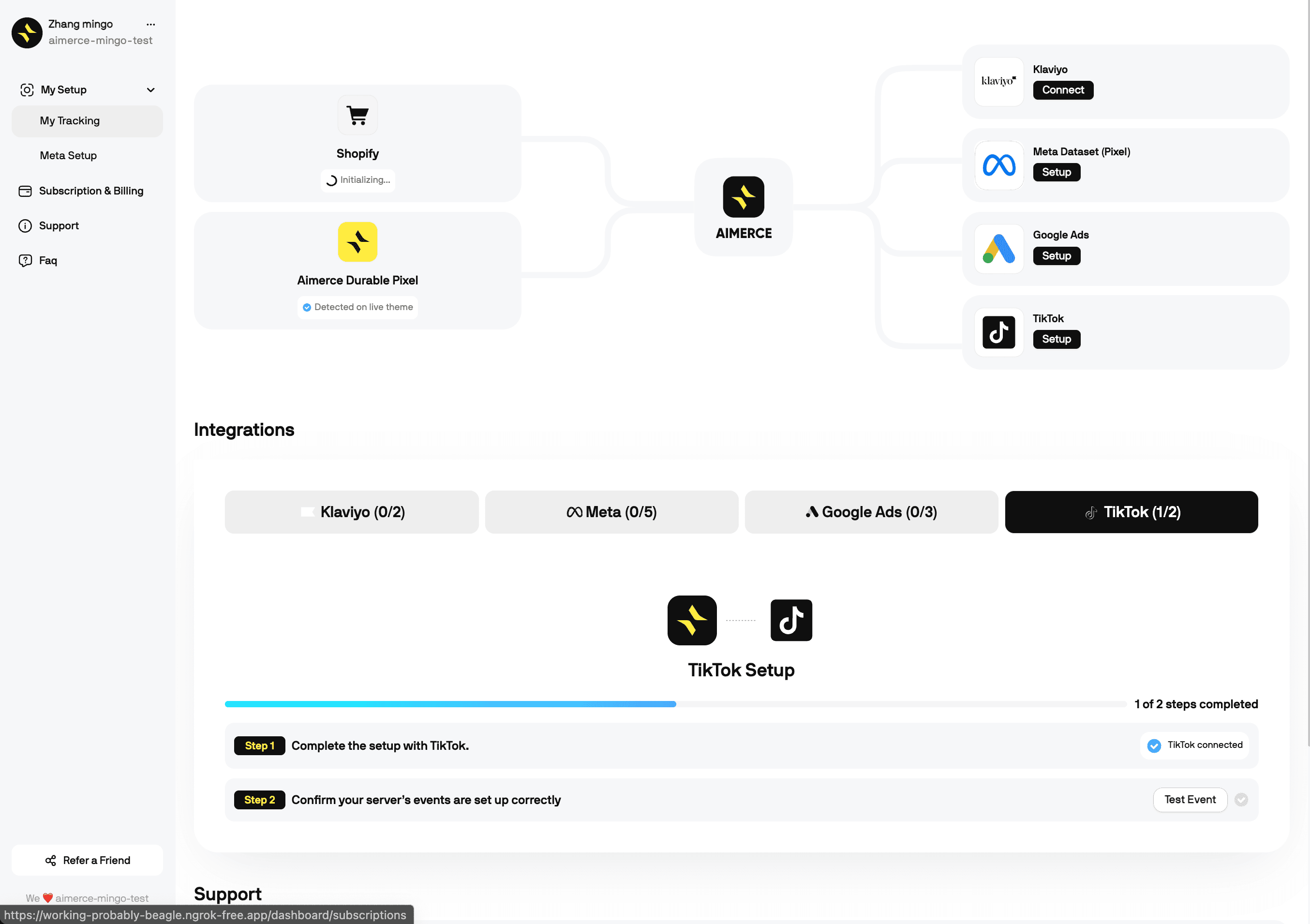
Step 2: Get Your TikTok Pixel ID
Log in to TikTok Business Center
Go to Assets → Pixels
Click Open in Events Manager
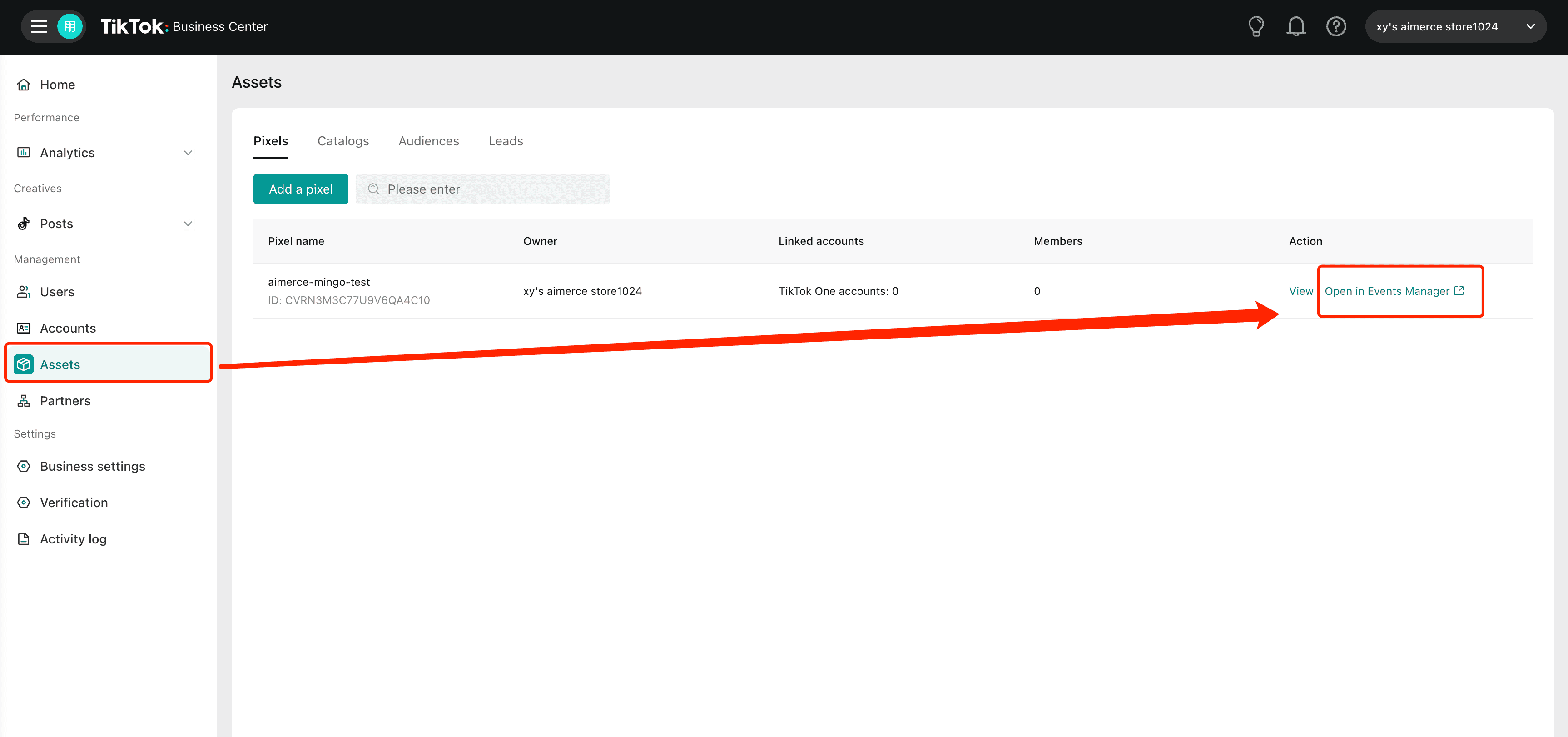
Go to Assets, then click ‘Open in Events Manager’ next to your Pixel.
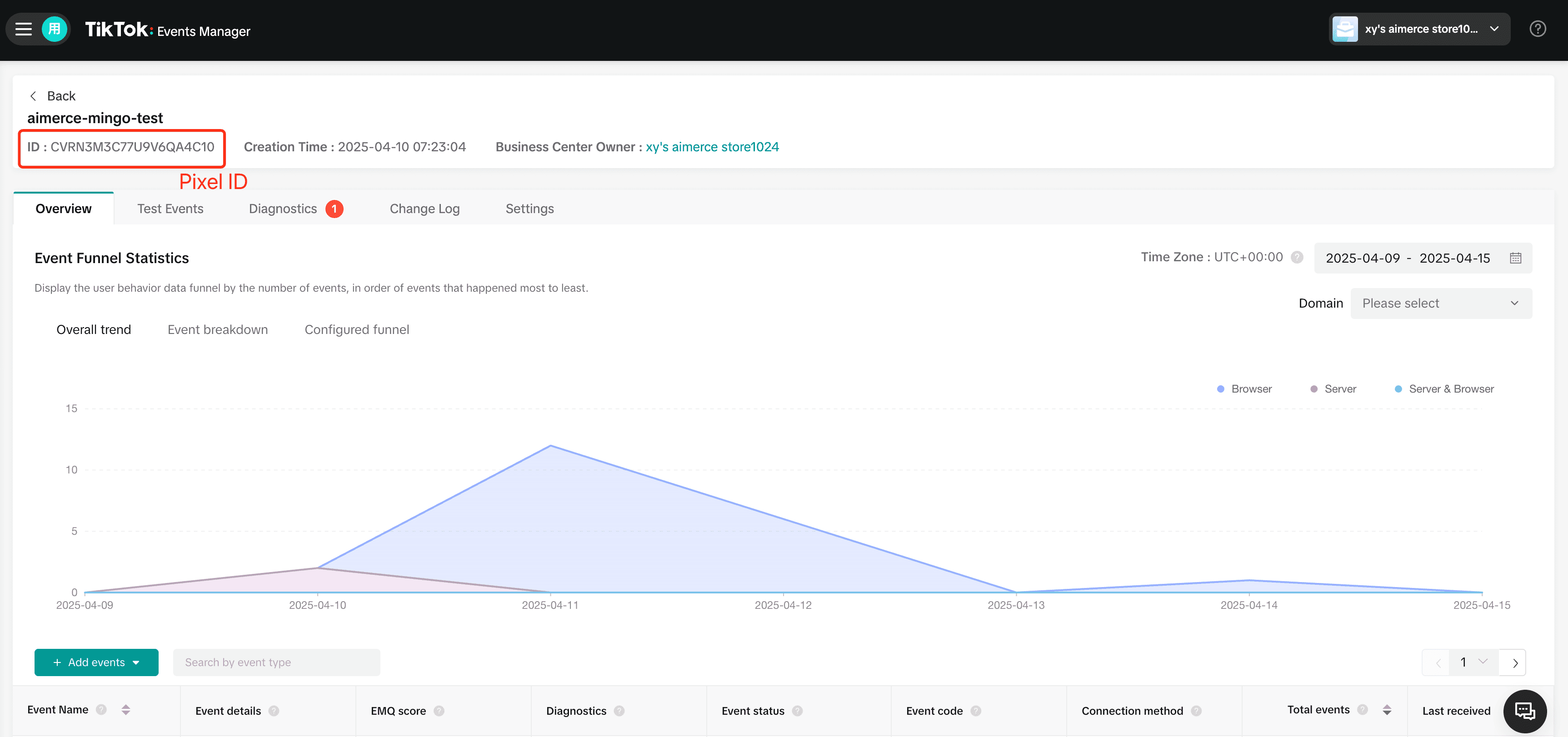
Copy your Pixel ID from the top left of the Events Manager.
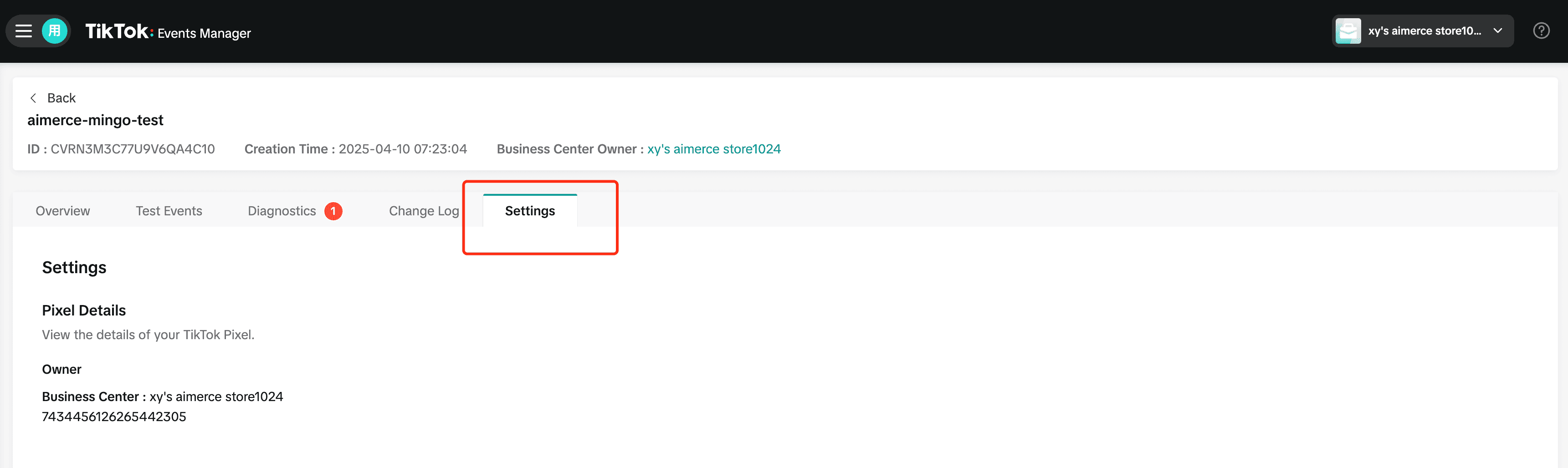
Go to the ‘Settings’ tab to view your Pixel details.
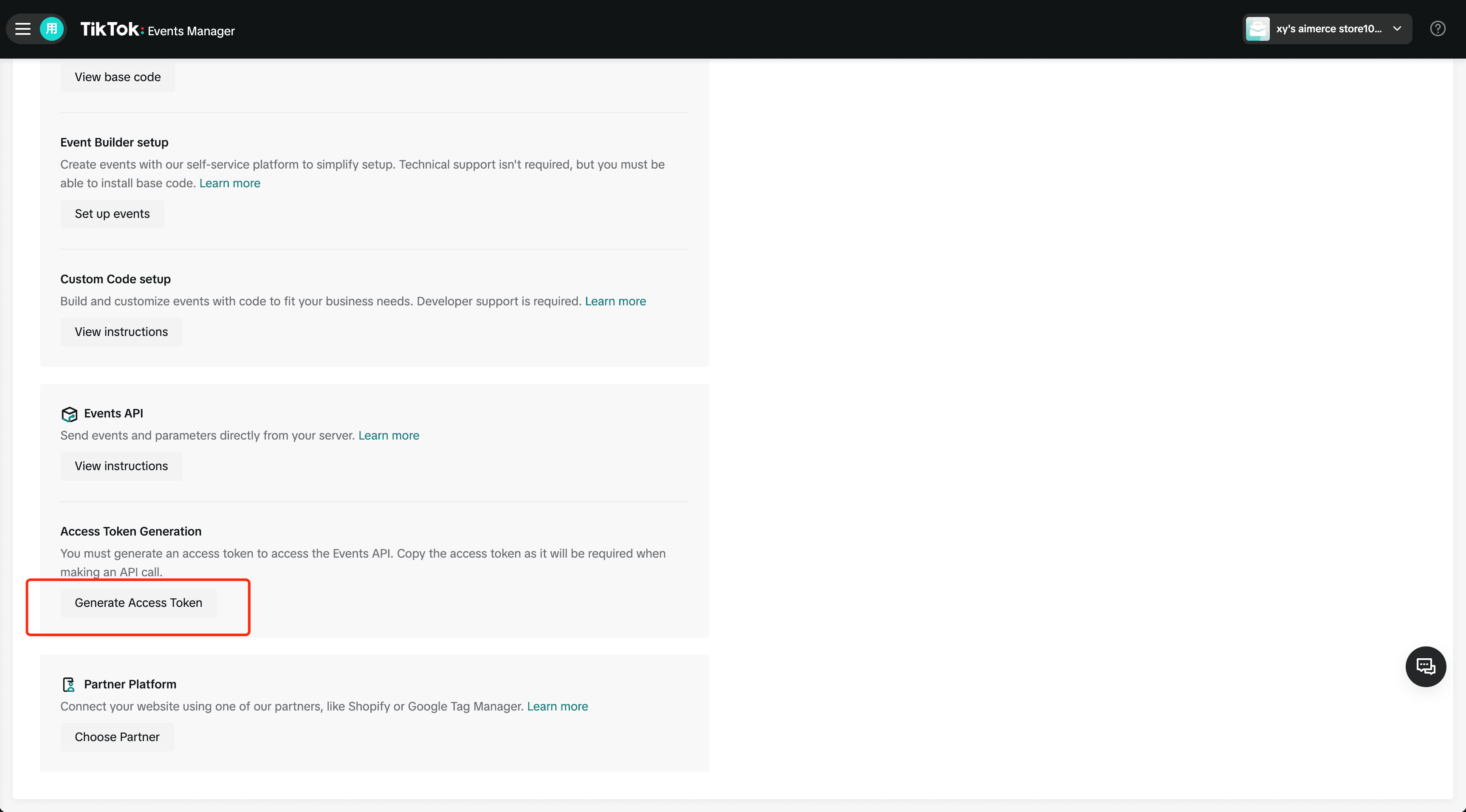
Scroll down to ‘Access Token Generation’ and click ‘Generate Access Token’ to connect your server.
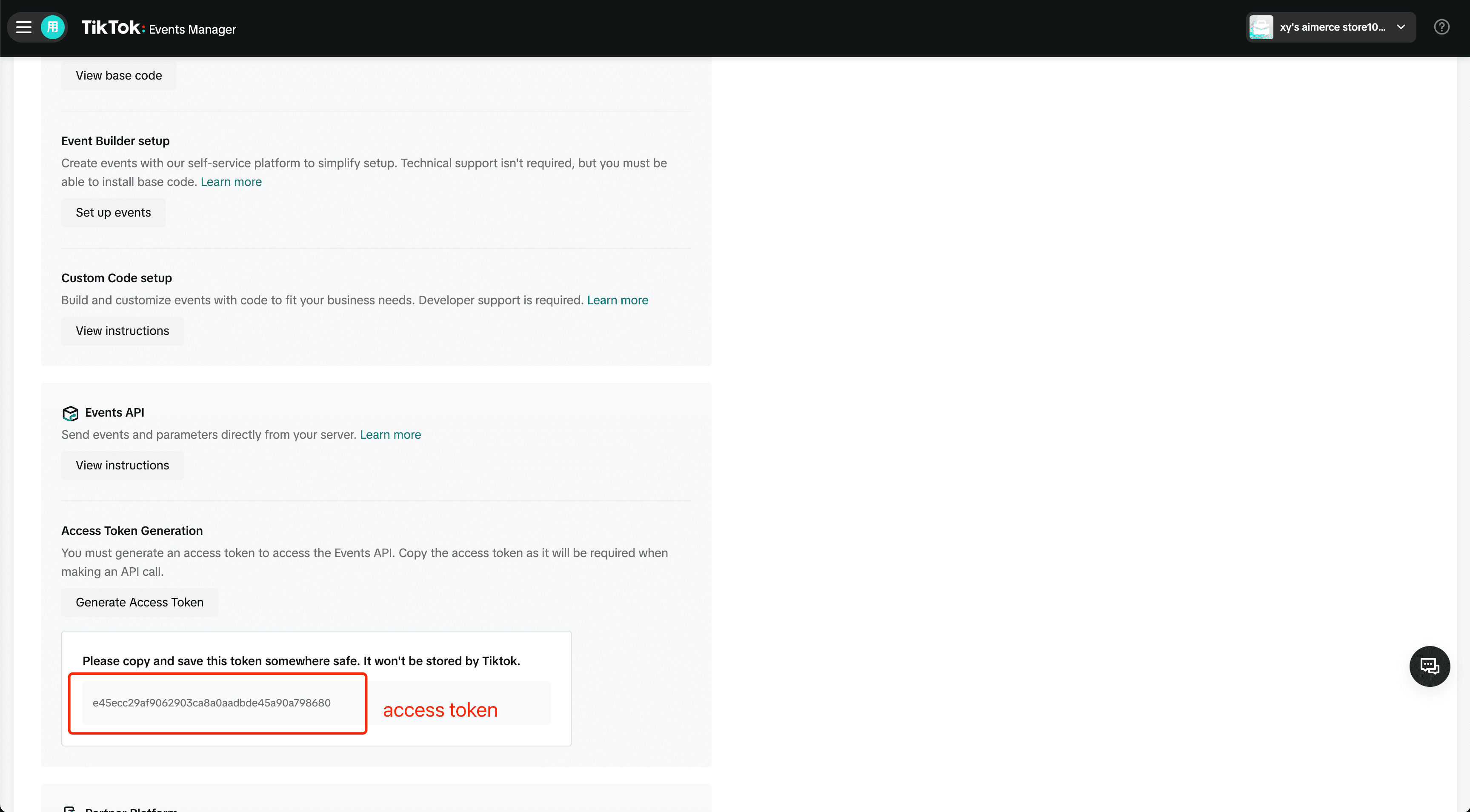
Scroll down to ‘Access Token Generation’ and click ‘Generate Access Token.’ Once it appears, copy and save it securely. TikTok won’t store it.
Step 3: Send a Test Event and Go Live
Verify the connection using the Test Event option. Once verified TikTok will start receiving server side events instantly.
Voila! You’re good to go!
If you’re scaling on TikTok but your data isn’t keeping up now’s the time to clean it up. Setup is live and takes less than five minutes!

